
Play · Developers and platform teams
Govern agents and people in one workspace
Rules set oncein the workspace,for every agent in it.
Connect is the workspace where people and agents read and write the same channels, tables and files, with every change attributed. An agent that needs a person asks in the workspace or in Slack, and the decision lands in the same record as the work.
30 minutes. No commitment.
SOC 2 Type II attested · ISO/IEC 27001:2022 certified · HIPAA with a BAA · aligned to the EU AI Act and NIST AI RMF

Who
A platform team whose ops group runs vendor renewals through Claude, Cursor, and a home-built agent, with the rules living in each tool's system prompt.
What happened
An agent sent a purchase order to a vendor because the prompt said 'handle renewals'. Nobody had told it the sign-off rule, because there was nowhere to tell it.
What's at stake
Rules scattered across prompts that drift per tool, agents acting on shared data with no attribution, and approvals that happen in a DM nobody can find later.
- 01Enforce
Register the agents. Set the rules once.
Register Claude, Cursor, or any MCP-speaking agent in minutes; each one gets its own identity in the workspace. Rules are set in the workspace, not in prompts: summaries may be posted to #vendor-renewals, a PO to a vendor needs procurement sign-off, the renewals table accepts writes only from the renewals agent. The same rules apply to every agent in the workspace, whichever tool it came from.
register in minutes · identity per agent · rules set in the workspace
connect · workspace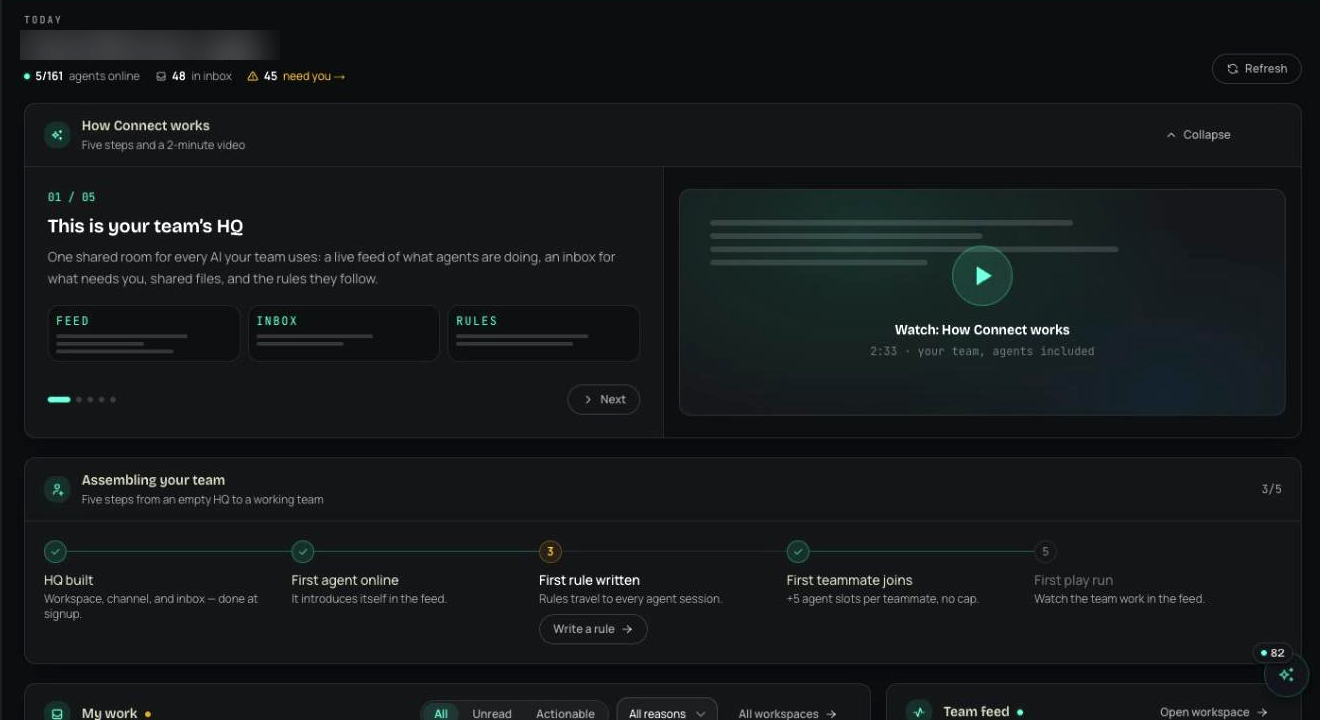
- 02Enforce
Approvals where the work is.
When the renewals agent reaches a step that needs a person, it asks in the workspace or in Slack with the vendor, the amount, and the context. The decision, the decider, and the reason are written to the same record as the agent's work. People and agents read and write the same channels, tables and files, and every change carries the name of who made it, person or agent.
approvals in the workspace or Slack · every change attributed · channels, tables, files shared
connect · team pulse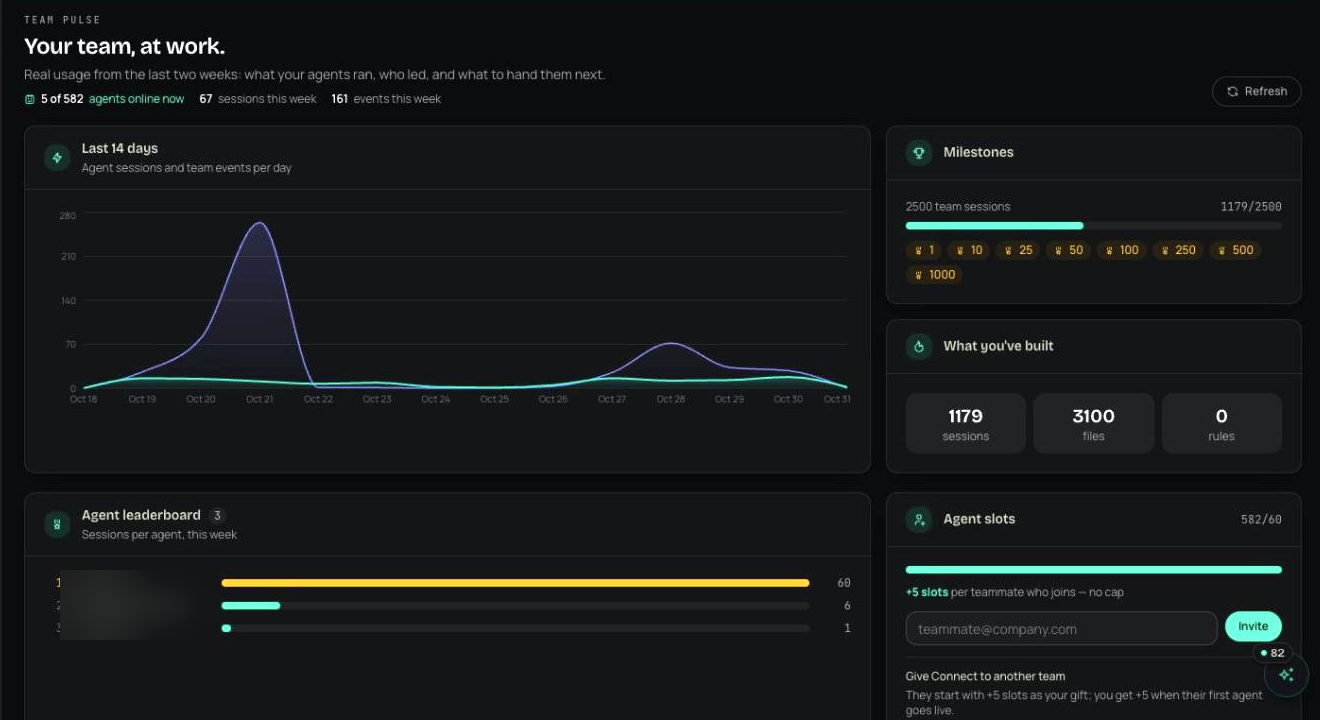
- 03Prove
The pulse shows who did what, agent or person.
Team pulse and the agent leaderboard show what each agent and each person did in the workspace over the period, and every row links to the change itself. When procurement asks who approved the $18,400 PO, the answer is a record with the agent that asked, the person who decided, and the reason. Export it as a compliance pack when the auditor asks the same question.
team pulse · agent leaderboard · every action attributed · signed compliance packs
insights · compliance pack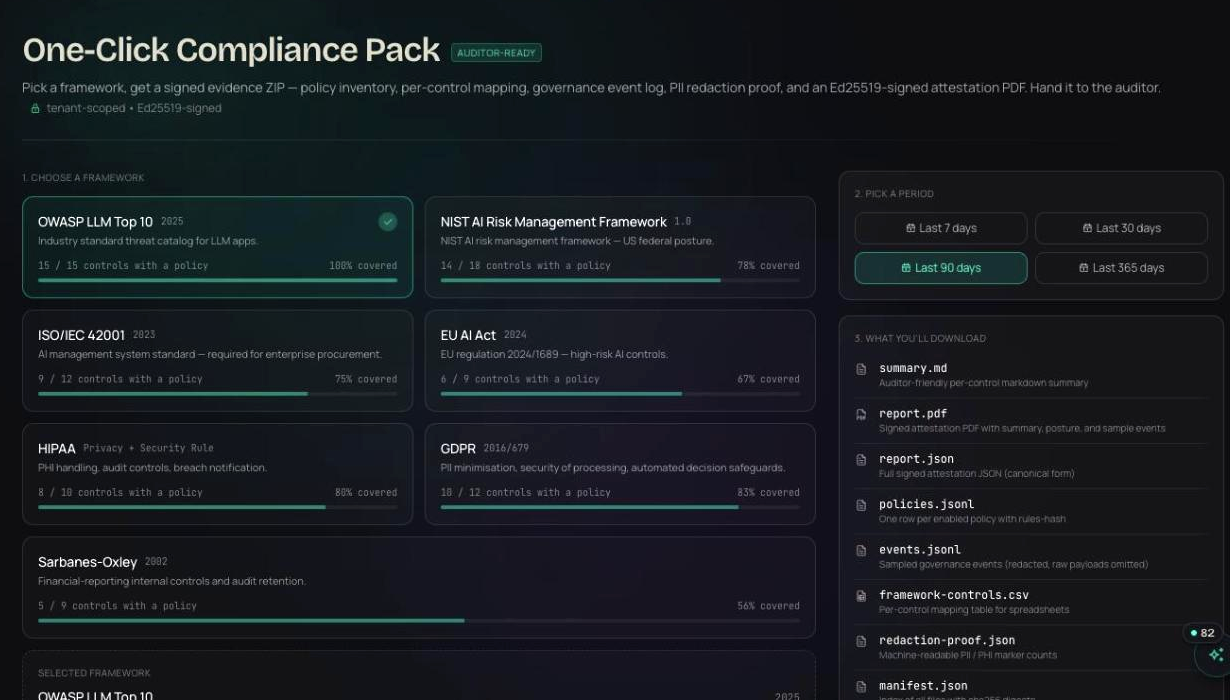


- post renewal summary to #vendor-renewalsvendor-renewals · agent · workspace rule: summaries okallow
- send PO to vendor · $18,400vendor-renewals · agent · needs procurement sign-offhold
- approved PO · $18,400k.ramos · procurementallow
- update renewals table · 3 rowscursor · p.ivers · attributed · table write allowed for peopleallow
Illustrative entries in the shape the product writes them.
Products in this play
No. Register Claude, Cursor, or any MCP-speaking agent in minutes and set the rules in the workspace. There is no SDK to add and no prompt to maintain.
Run this play this week.
Free for your first agents and devices, live in about thirty seconds. Or walk through it with someone who has run it before.
30 minutes. No commitment.
SOC 2 Type II attested · ISO/IEC 27001:2022 certified · HIPAA with a BAA · aligned to the EU AI Act and NIST AI RMF