
Play · MSPs and resellers
Shadow AI assessment for a client
Show the clientthe AI theydidn't know they had.
Push the endpoint agent and the browser extension through the MDM you already manage for the client. Within days the Shadow AI report shows the AI apps, extensions and personal accounts on their enrolled devices, with a name beside each one.
30 minutes. No commitment.
SOC 2 Type II attested · ISO/IEC 27001:2022 certified · HIPAA with a BAA · aligned to the EU AI Act and NIST AI RMF

- This play uses
- 01Discover
- 05Prove
Who
An MSP whose client asked whether their people are using AI, and expects a real answer rather than a survey.
What happened
The client's CEO read about an employee leaking data through a chatbot and wants to know whether it could happen to them.
What's at stake
Guessing, or billing a week of interviews that still miss the extensions and the personal logins.
- 01Discover
Deploy through their MDM. The inventory fills itself.
The endpoint agent goes out through Jamf, Kandji, Intune, Hexnode or the client's RMM and the extension by browser policy; no user action, nothing to opt into. It reports every AI desktop app, coding agent and browser AI session per device, whether each runs on a personal or corporate account, and what it can reach. Devices start reporting within hours of the push.
macOS and Windows · Chrome, Edge, Firefox · AI apps, coding agents and browser AI · personal vs corporate accounts
endpoints · discovered apps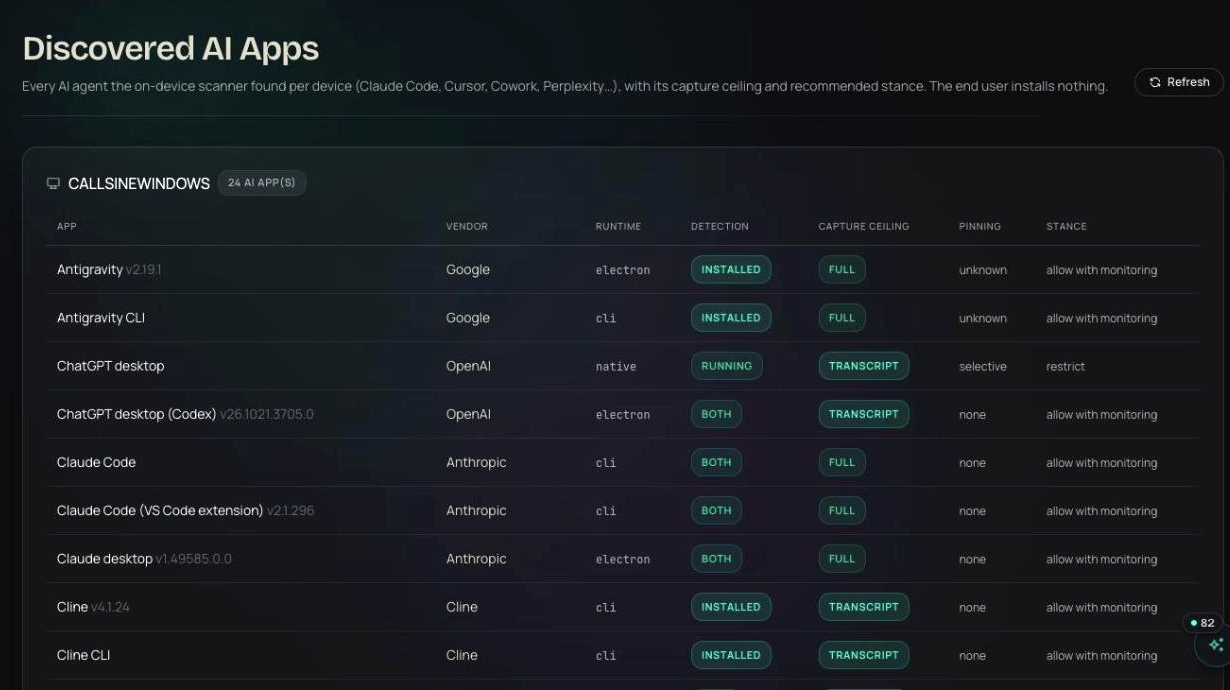
- 02Discover
A name beside every finding.
Device owners, set on the device or read from Hexnode, put a person next to every tool, so each finding names a person. Out of the box nothing is blocked during the assessment and the client's staff keep working as before; what you get is the picture of who uses what, on which account.
device owners from Hexnode or the device page · nothing blocked by default · no user action
endpoints · needs attention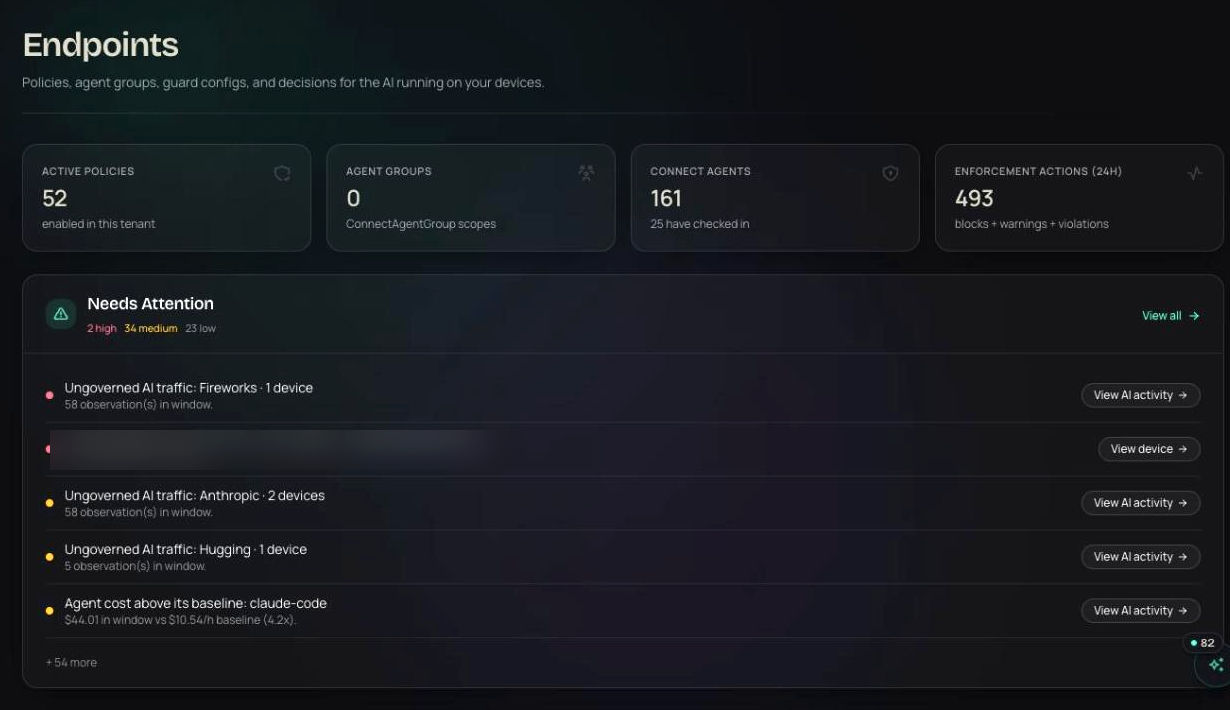
- 03Prove
The Shadow AI report is the deliverable.
Export the Shadow AI report: tools by adoption, personal versus corporate accounts, extensions nobody approved, devices that need attention. Walk the client through it in the review meeting. The findings are specific enough that the next conversation is about which rules to set, and that is the managed service.
Shadow AI report · per-device evidence · export for the client
endpoints · shadow AI report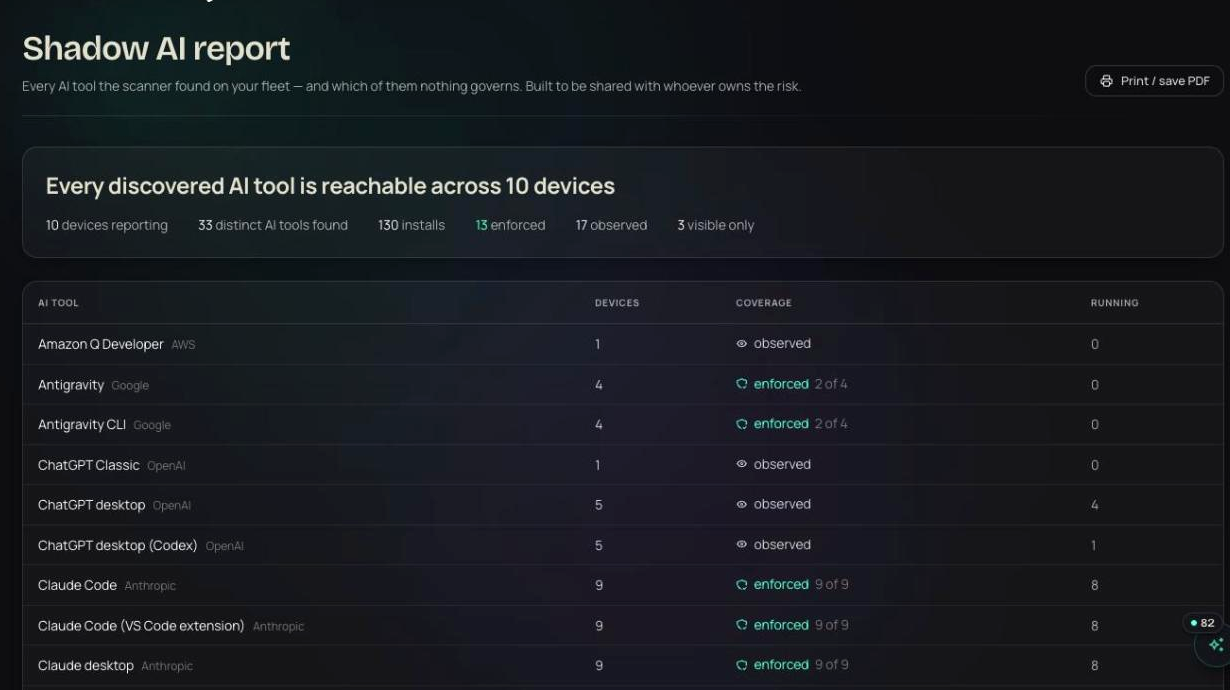


- ChatGPT · personal account · sessionendpoints · harbor-dental · front-desk-02 · assessment · nothing blockedallow
- ai-summarizer-free · unapproved AI appendpoints · harbor-dental · dr.okoye-mbp · assessment · in reportallow
- Claude · personal account · upload patients-q3.xlsxendpoints · harbor-dental · billing-01 · assessment · PHI in upload · top findingallow
Illustrative entries in the shape the product writes them.
Products in this play
No. The agent deploys through the MDM and the extension is force-installed by browser policy. There is no prompt and nothing to opt into.
Run this play this week.
Free for your first agents and devices, live in about thirty seconds. Or walk through it with someone who has run it before.
30 minutes. No commitment.
SOC 2 Type II attested · ISO/IEC 27001:2022 certified · HIPAA with a BAA · aligned to the EU AI Act and NIST AI RMF